Accessibility ADA Title II
 What is Digital Accessibility?
ADA Title II is part of the Americans with Disabilities Act (ADA), a federal civil rights law passed in 1990. ADA protects the rights of individuals with disabilities—including people with visual, hearing, cognitive, and motor disabilities—by requiring equal access to public programs, services, and activities.
View our page on Blackboard Ally, Blackboard's Digital Accessibility Tool.
MCCC has until April 26, 2027, to achieve WCAG 2.1 Level AA compliance.
What does Title II require?
State and local governments must:
- Provide people with disabilities equal access to their programs, services, and activities.
- Make reasonable modifications to accommodate people with disabilities.
- Communicate effectively with people with disabilities.
- Provide access to programs and services in existing facilities.
Key Requirements Under ADA Title II:
ADA Title II requires that digital content be designed so that everyone can access and use it, including people who rely on assistive technologies such as screen readers, captions, or keyboard navigation.
This includes:
MCCC Websites & Mobile Applications
- Must be perceivable, operable, understandable, and robust.
- The user interface (UI) should have sufficient color contrast (4.5:1), keyboard accessibility, and clear focus indicators, with compatibility for screen readers & screen magnifiers.
- Interactive content (quizzes, discussions, assignments) must be navigable by keyboard.
- All images require alt text, media must have captions/transcripts, and headings should be structured logically for screen reader navigation.
- Timed activities must provide adjustable time limits or alternatives.
- PDFs must be tagged and structured for accessibility.
- Word/PowerPoint files must use built-in heading styles, list structures, descriptive hyperlink text, and sufficient color contrast.
- Tables should include headers identified in markup for assistive technologies.
- Captions are required for all pre-recorded videos with audio.
- Transcripts are required for audio-only media.
- Audio description should be provided when important visual information is not conveyed in the audio.
-
Under ADA Title II, state and local governments must ensure their digital communications, websites, and mobile apps are accessible to individuals with disabilities. The Department of Justice mandates that all digital content meet WCAG 2.1 Level AA standards so it works seamlessly with assistive technologies.
Digital Accessibility at a Glance
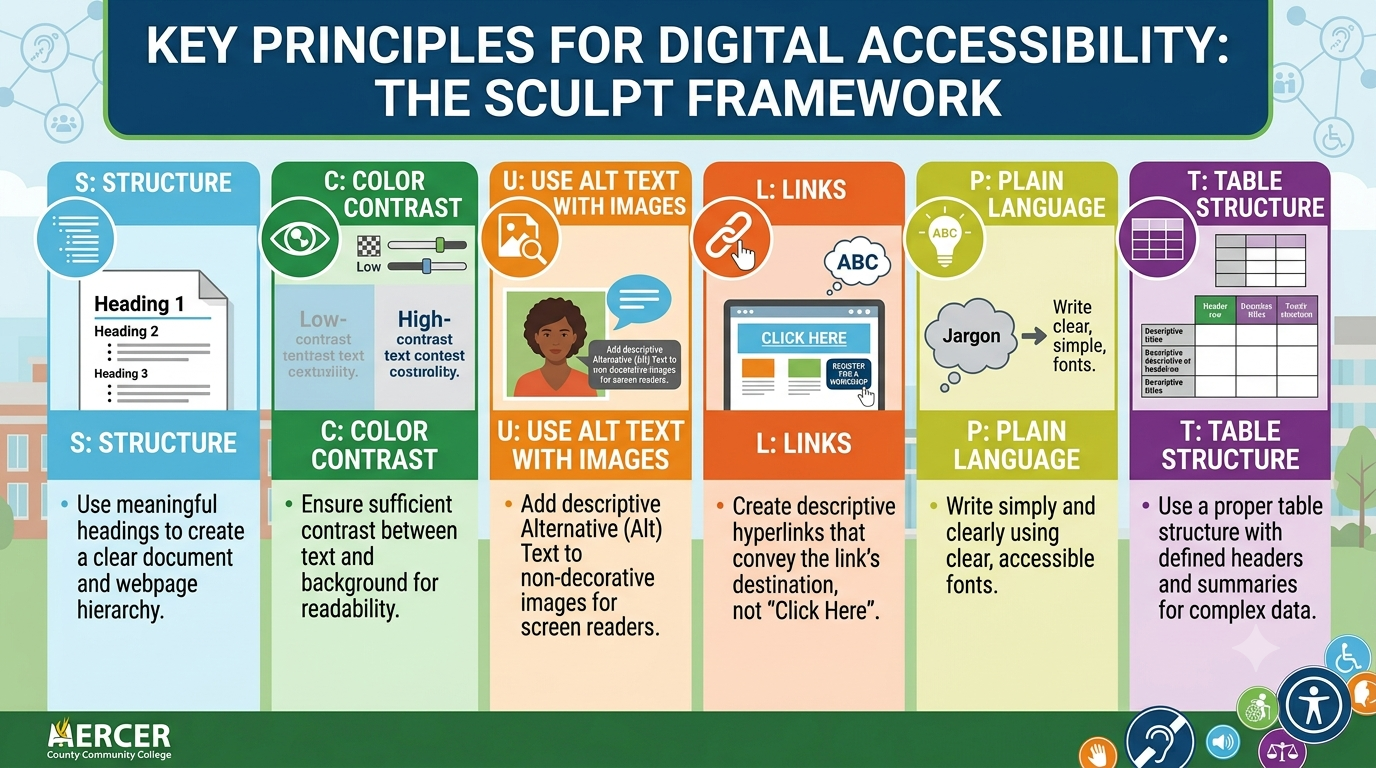
S.C.U.L.P.T. , developed by Worcestershire County Council in the U.K., offers a memorable framework with key standards. Think of it as a starting point for establishing good habits toward WCAG 2.1 AA guidelines.
S: Structure (use headings)
C: Color contrast
U: Use alt text with images
L: Links should be descriptive hyperlinks (not Click Here)
P: Plain language (and clear fonts)
T: Table structure (use headings)
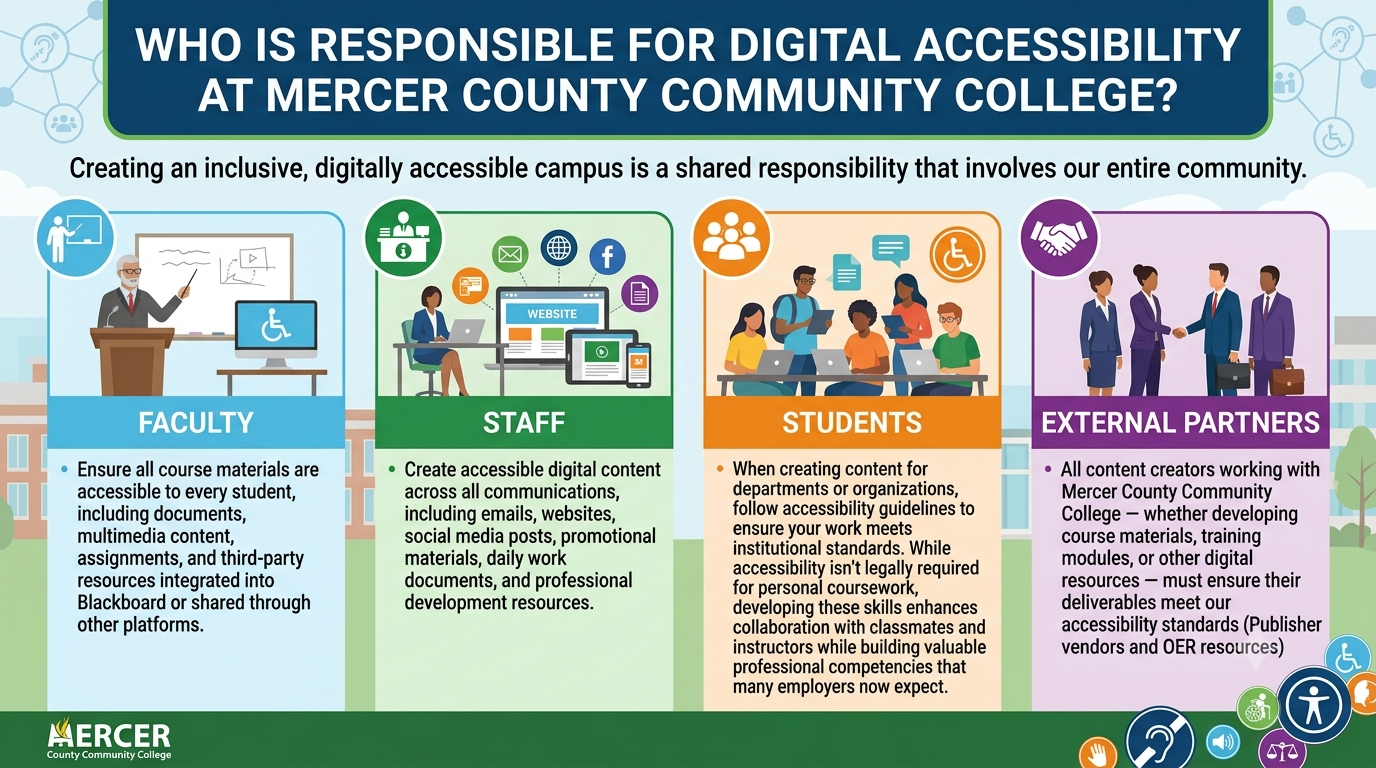
Who is responsible for digital accessibility at Mercer County Community College?
Creating an inclusive, digitally accessible campus is a shared responsibility that involves our entire community. Here's how each member contributes to this important effort:
- Faculty: Ensure all course materials are accessible to every student, including documents, multimedia content, assignments, and third-party resources integrated into Blackboard or shared through other platforms.
- Staff: Create accessible digital content across all communications, including emails, websites, social media posts, promotional materials, daily work documents, and professional development resources.
- Students: When creating content for departments or organizations, follow accessibility guidelines to ensure your work meets institutional standards. While accessibility isn't legally required for personal coursework, developing these skills enhances collaboration with classmates and instructors while building valuable professional competencies that many employers now expect.
- External Partners: All content creators working with Mercer County Community College —whether developing course materials, training modules, or other digital resources—must ensure their deliverables meet our accessibility standards (Publisher vendors and OER resources)